How AI Detection Tools Are Used
For authors, an AI detector tool isn't just about improving the text. It shows how the work looks to editors and clients.
An AI check is often used for:
- ✦Meeting formal requirements. Briefs contain specific numbers: "AI detection score below 20%." Clients ask for screenshots upon delivery.
- ✦Checking materials at scale. Agencies filter contractor texts. With high volumes (product descriptions, local pages), a detector weeds out suspicious material in minutes.
- ✦Quick check before publishing. Publishers and platforms may have limits on AI content or require disclosure.
- ✦Protecting long-term relationships. A text with 97% AI ends contracts. Editors look at the number, not the nuances.
So, when an author checks their text beforehand with reliable AI detection software, they show work that won't trigger unnecessary questions. It strengthens partnerships and saves time if the detector is properly built into the workflow.
How to Detect AI Writing: The Pre-Submission Check
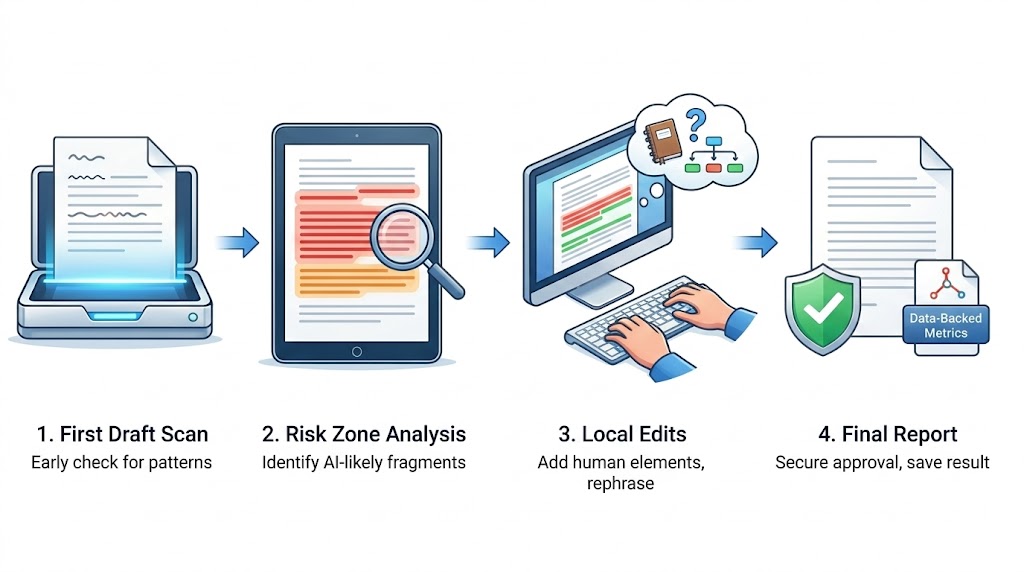
AI detection workflow: 4 steps from first draft scan to final report with data-backed metrics
Checking isn't just a final click before sending an email. It's part of text hygiene. To increase the chance that work is accepted without extra edits, learn how to detect AI generated text and build these checks into your usual workflow.
The process looks like this:
- 1First draft scan. Run the first draft through the detector. Don't wait until the text is perfect—check it early to spot sentence patterns that trigger algorithms.
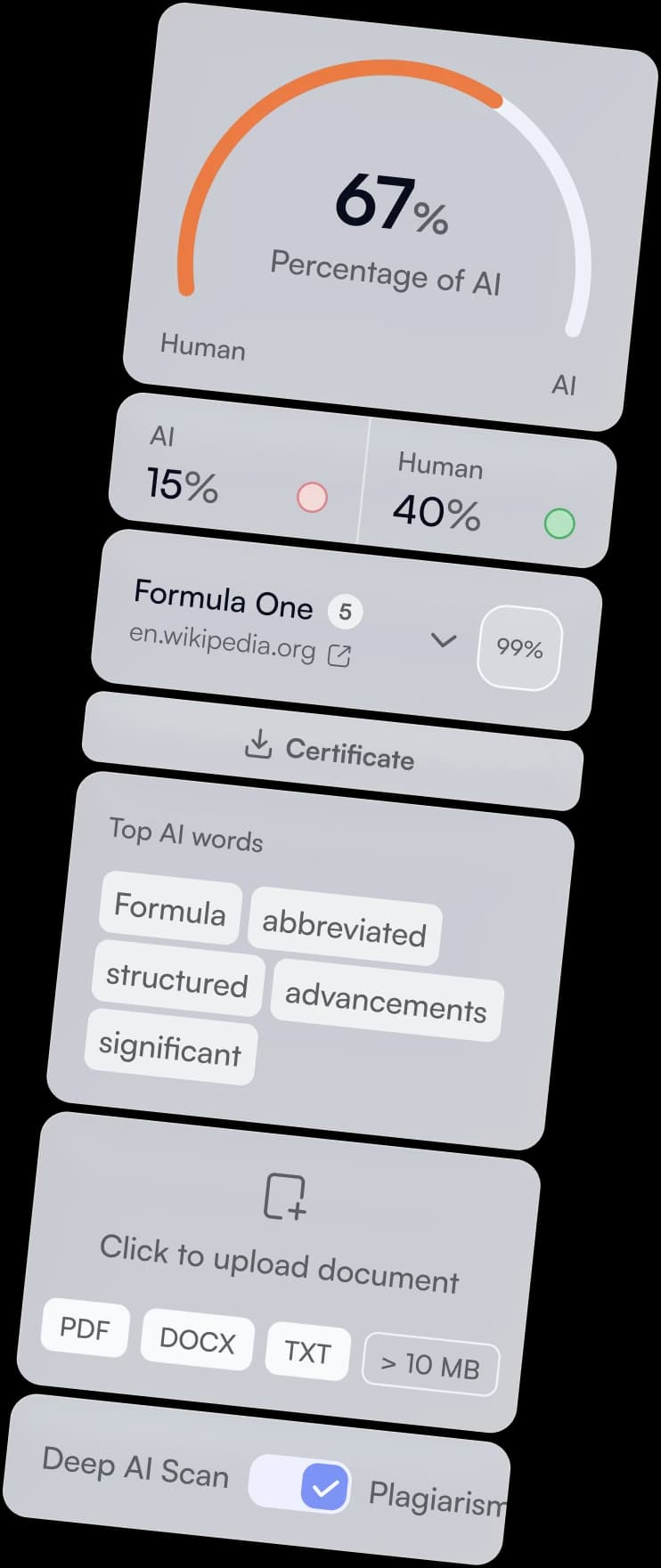
- 2Risk zone analysis. If you use our tool, Deep scan mode will highlight (in red or orange) text fragments likely generated by AI or written with it.
- 3Local edits. Fix them specifically and pay attention to the highlighted words. In red zones, add a personal example, change sentence length, or insert a direct question to the reader. Usually, simply writing the text yourself is enough to drop the AI percentage. Note: Sometimes it's convenient not to rewrite text fragments, but to replace them with an infographic.
- 4Final report. After edits, run a control check. If you use It's AI detector, you can be sure its metrics are data-backed. You can save the result as a PDF, plus it stays in your history.
This approach turns detection from an annoying obstacle into a quality control tool. You control the result.
AI Detector Extension
Our web version of the platform is used for complex checks and reports. In addition, there's an AI detector Chrome extension.
The tool works in the Chrome browser interface over open tabs. This lets you get a check result on the current page without switching to the main service site.
AI Detector Accuracy: How to Interpret Results
The percentage in the report isn't a verdict, but a risk assessment for text acceptance. In the workflow, it's important to read the result the way the client reads it: quickly and formally.
- ✦Stick to the brief. If there is a threshold, the goal is to pass it with a margin, not "just barely."
- ✦Compare only comparable checks. The same text can give different numbers if the volume changes (300 words vs 2,000) or the document version changes.
- ✦Check only your text, no fluff. Inserts like standard disclaimers, template CTAs, legal blocks, or identical company descriptions often raise the total percentage.
- ✦Consider the genre. FAQs, definitions, instructions, tables, and template product descriptions fall into high risk more often — not because "it's AI," but because such texts have a predictable structure.
The point of checking is not to argue with the number, but to manage risk at the approval stage. Many ask: "Is AI detector accurate?" The answer depends on the tool. Keep one standard: one text version, one tool, one input format. Then the result will be predictable.
Final AI Check: A Standard That Saves Time
When the check is passed and you've made edits, the text can be safely sent to the customer. For client convenience, attach the check result — a screenshot or PDF report — so it's easier for them to verify and not return to the topic. If you want to know in advance how the material looks to editors, make It's AI detector your last step before sending.