LinkedIn is limiting AI slop: what to check with an AI detector before posting | It's AI
AI Studies
LinkedIn is limiting AI slop: what to check with an AI detector before posting
See why LinkedIn is limiting AI slop and how an AI detector helps authors review posts before publishing, with attention to their ideas, voice and credibility.
Svetlana ShakhovaOct 22, 202615 min read
A professional post can serve several purposes: for example, sharing experience, explaining something to an audience, or getting people interested in a product. AI can help with the writing, but it can also distort conclusions or add invented facts when revising a text. Sometimes the author's usual tone gets lost, and specific ideas give way to general observations. The post may then look thorough and well written while no longer doing what the author intended.
You may know the feeling: you read paragraph after paragraph, every sentence makes sense, but no substantial point emerges from all those words.
This is a problem for the author and the business too: time has gone into preparing and approving the post, yet the reader still does not understand the offer or has learned nothing useful. AI makes it possible to publish more, but without review, that can also mean more posts that fail to serve the author's or the business's purpose. Before publishing, it is worth checking whether the post still says what was intended, whether it is specific enough, and whether any generic AI-generated wording remains that puts people off reading further.
Curious how your own text scores? Check it right here.
characters (min 200): 0/500000
PDF, DOCX, TXT
Deep AI Scan
find out which part of text seems AI-generated with our sentence-level segmentation.
Plagiarism check
detect plagiarized content by comparing your text against online sources.
Grammar check
find grammar and spelling mistakes in your text.
4000words left
Why LinkedIn is limiting the distribution of AI slop
LinkedIn explains its position by pointing to why people come to the platform: to share knowledge and learn from each other's experience. In its announcement about limiting AI slop, the company says it wants to keep LinkedIn a place for "real people, real expertise, and real perspectives." LinkedIn's position.
In our view, the platform is protecting the reason to read a professional feed in the first place. Someone opening a specialist's post expects to learn something from their work or see how they approach a problem. If they get general observations that anyone could have written, there is little value in getting to know that particular author. So the question for LinkedIn goes beyond how the text was produced: does the post add anything to a professional conversation?
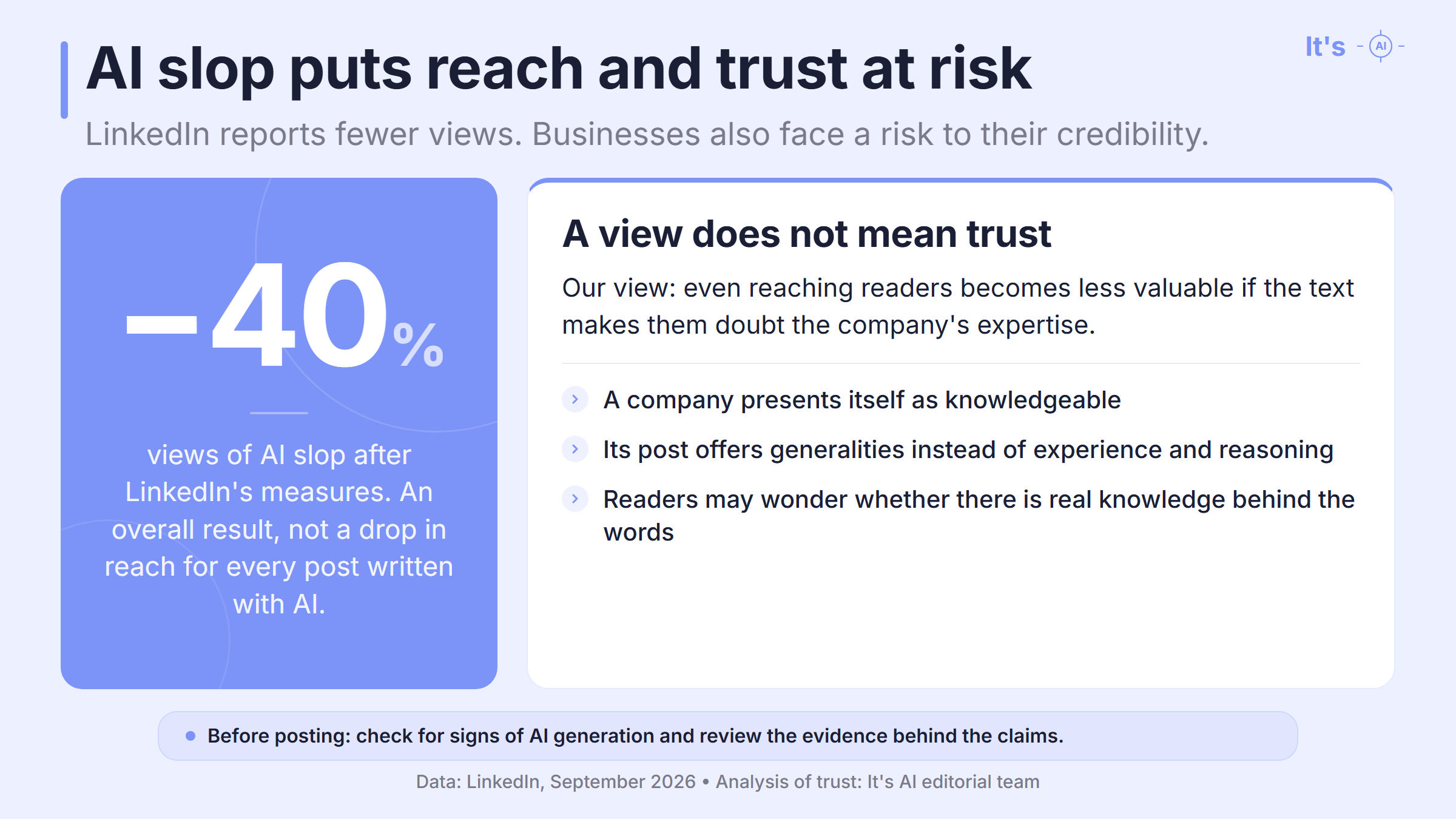
To give readers more reasons to answer "yes," LinkedIn shows AI slop less often in the feed. Automated classifiers find these posts. Readers can also report a post through "Seems like AI slop," and LinkedIn uses that feedback to improve classification. In September 2026, the company reported a 40% drop in views of AI slop. That is the overall result for posts the platform put in this category. It does not mean that every post written with AI lost 40% of its reach. LinkedIn's announcement.
LinkedIn still has tools to help with writing. It announced a move from "enhance your post" to proofreading: helping people write more clearly while keeping their own voice. Using AI does not, by itself, make a post unwelcome on LinkedIn. We see this as a call for responsible use: authors need to understand the result of the edits and take responsibility for what they publish.
For an author or a business, the consequences can go beyond reach. If a company claims expertise but its posts contain recognizably AI-generated observations with little substance, a reader may start to doubt that expertise. Instead of learning from the company's experience, they have a reason to wonder whether there is real knowledge behind its claims.
When distrust of AI gets in the way of the discussion
People also share knowledge in the comments, where the author of a post becomes a reader of other people's replies. In October, engineer Tejas Kumar described comments under his own post that he believed were AI-generated. He said he wanted to talk to people. One participant objected: does using AI invalidate the argument itself? The original topic then gave way to a dispute about AI use. Kumar's account.
In our view, help with wording does not, by itself, make an idea less valuable. The person sending the message needs to understand it and be willing to discuss its substance. But suspecting AI use is not grounds for assuming they do not. A short reply is one case where even a detector does not have all the answers. As developers, we would like to see more responsible AI use, so people can discuss the topic without getting caught up in doubts about whether the other person is really taking part.
What an AI detector helps you check before publishing a post
You can review your own post before readers start raising questions about it. By then, the author or editor has a finished text: they can compare it with the original idea, check its claims, and separately look for signs of AI generation in the wording. An AI detector serves that last purpose. This is useful both when working on your own draft and when reviewing material from another author.
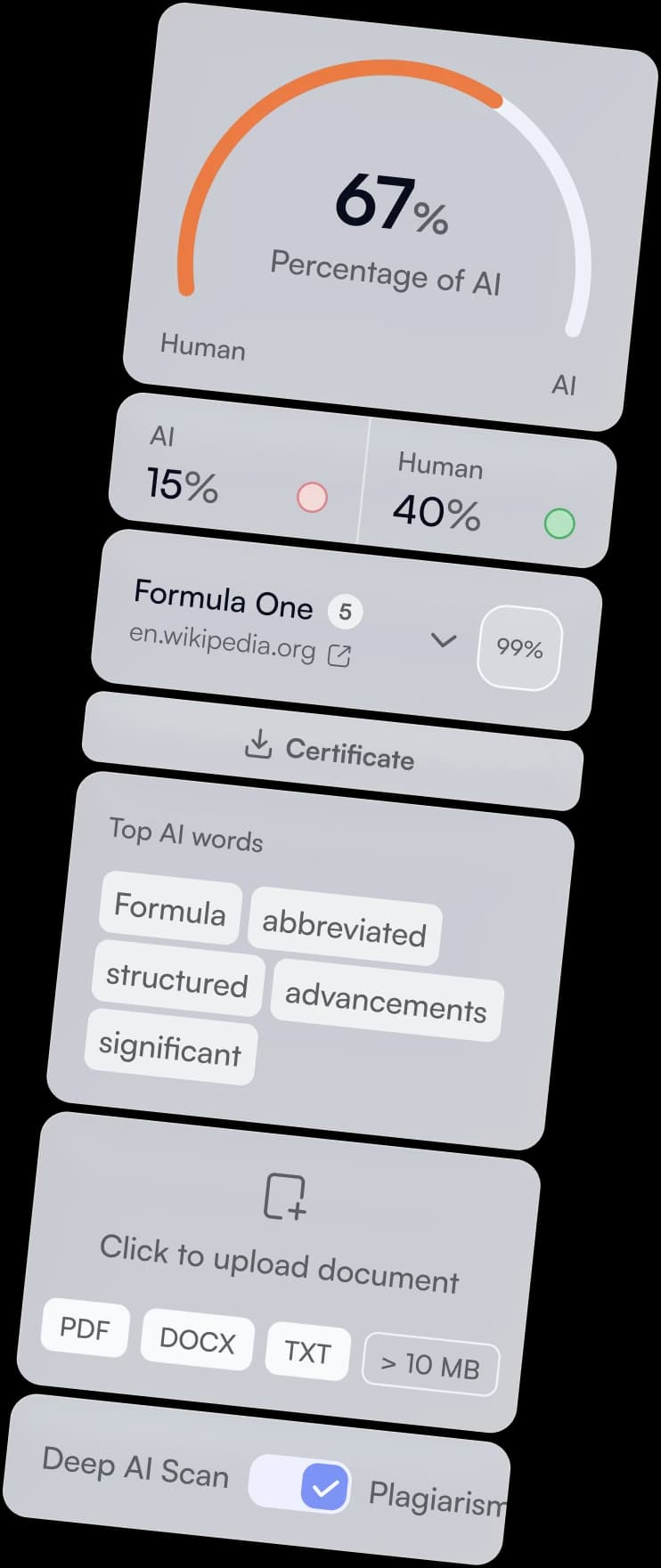
Along with an overall result, It's AI highlights sentences it classifies as AI-generated. Individual words and phrases are also highlighted according to their influence on the assessment: a deeper red indicates that the wording contributes more strongly to the AI score. This lets authors see which wording contributed to the result of the check.
Those passages need to be read with the surrounding text. A highlighted paragraph might still contain a general conclusion, while the explanation supporting it was lost during editing. Or the wording may be accurate and necessary even though the service highlighted it. The highlighting helps you choose where to read more closely; the decision to edit depends on what you find there.
These checks serve different purposes:
What do you need to find out?
What provides the answer?
Does the text show signs of AI generation?
The AI detector's result and detailed highlighting
Are the claims supported?
Checking the sources and data behind the post
Does the post convey the author's idea?
Comparing the finished text with the original arguments and conclusion
A lower percentage alone does not tell us that an edit helped. You can replace the highlighted words, yet the paragraph may still give the reader nothing to learn. If an explanation is missing, add it. If a claim has no support, it should go. That is the work we would expect from an editor after a check.
The AI check should cover the finished text
The report refers to the text that was sent for checking. If the post is then rewritten substantially, the report still contains the result for the earlier version. We would finish the main edits first, then check the post, leaving time to read the highlighted passages. The author and the team would then have a result for the text they plan to publish.
If a team prepares posts regularly, it does not have to copy them into a separate service each time. Through the API, it can send text to It's AI from its own system and receive the result back. A developer can set it up to save the response with the document version that was sent for checking. We wrote about this connection in our article on checking texts through the It's AI API.
LinkedIn has its own classifiers and takes user feedback into account. A report from another detector cannot tell you how the platform will distribute a post. The author needs that report earlier, while there is still time to work on the material: they can see signs of AI generation and return to the text before publishing. A post is ready to go out when the author is ready to discuss its ideas with readers. That is the conversation they are inviting people to have.
FAQ: checking LinkedIn posts with an AI detector
A few questions about short posts and using the results of a check.
Can I check a short LinkedIn post for AI?
Yes, if the post has at least 200 characters. That is the minimum length for It's AI. If it is shorter, adding other posts will not give you a separate result for it: the service checks everything you submit together. It is better to use the whole of one post, when it is long enough for a check.
Do I need to attach an AI detector report to my post?
No, you can keep the report within your team. Running a check does not require you to publish it. If a client expects a report with the text, check the version: after late edits, you may still have the result for an old draft while sending a different text for approval.
Will an author know if their post has been marked as AI slop?
LinkedIn may show the author a notification in their post analytics when enough user feedback comes in. This gives the author an idea of how people have reacted to the post. The message comes from LinkedIn and is based on that feedback; it is not a result from It's AI or another outside service. LinkedIn's explanation.